
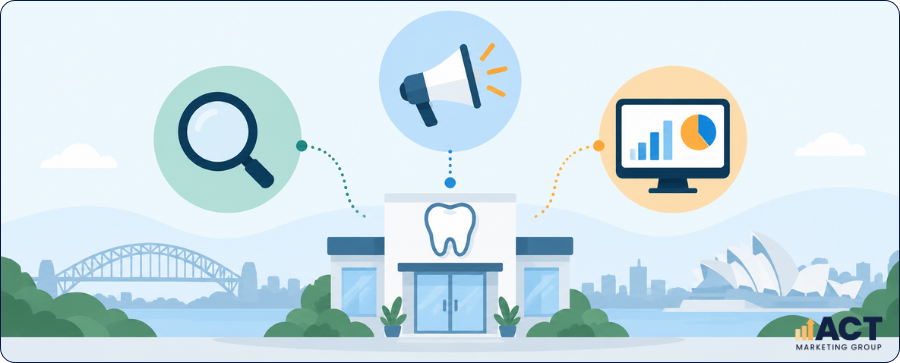
Online Marketing Tools for Dental Clinics are most useful when they work together to improve local visibility, generate appropriate enquiries and show which marketing activities contribute to bookings. A dental clinic may use search engine optimization, Google Ads, social media marketing, email marketing and content marketing at the same time, but each activity should have a defined role. The aim is to create a connected digital marketing system that helps your team understand website performance, lead generation, patient enquiries and conversion rates while keeping advertising claims and patient information appropriately controlled.
Build The Stack Around The Patient Journey
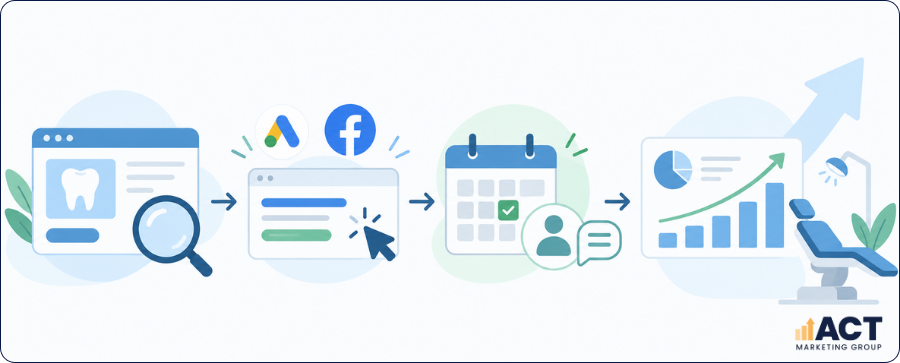
A useful marketing stack starts with the way prospective patients actually find and contact your practice. Instead of selecting marketing tools because they offer more features, map the journey from a search engine, paid advertisement or social media post through to a landing page, phone call, enquiry and eventual appointment. This approach gives every tool a clear purpose and helps prevent your practice from treating website traffic, clicks and confirmed appointments as though they carry the same value. A practical patient journey can be reduced to five stages:
Discovery: Local searches, organic search, paid ads or social platforms introduce the practice.
Research: People review treatment pages, practitioner information, location details and other marketing materials.
Action: A prospective patient calls, submits a form or starts an online booking.
Lead management: Your team assesses the enquiry and records whether it is relevant.
Booking and reporting: Suitable enquiries become appointments and feed into ongoing marketing analysis.
Get a Customized Marketing Strategy for Your Business
Schedule a free consultation to discuss how our digital marketing solutions can help you reach more customers.
Make Local SEO The First Visibility Layer
Once the patient journey is clear, local SEO should usually become the foundation of your search activity. Dental practices mainly serve defined geographic areas, so online visibility depends heavily on whether nearby patients can find accurate and useful information when they make relevant local searches.
Want to strengthen your clinic’s local search visibility? Read our Guide to Local SEO for Dental Clinics for practical steps to improve how your practice appears in relevant local searches.
Google Business Profile, Google Search Console and your website can provide reliable baseline data before the practice invests in more complex digital tools. For small businesses and single-location clinics in particular, a well-managed core setup may reveal more useful opportunities than a large software package that produces reports nobody regularly reviews.
Use Keyword Research to Guide Useful Content
After the local search foundation is working, keyword research can help show what prospective patients are searching for and where your website has information gaps. The purpose is not to repeat phrases excessively, but to understand search intent and create pages that answer real questions in clear language. Search Console, Google Trends and specialist keyword research tools can support content ideas, competitor analysis and planning for new landing pages. A practical content creation process can stay focused on five activities:
Review real search queries already generating impressions.
Group topics by treatment, location and patient intent.
Compare relevant competitor pages without copying them.
Improve useful existing pages before creating unnecessary new ones.
Measure performance after new or updated content has had time to appear in organic search.
Content marketing works best when it supports the broader patient journey rather than becoming a volume exercise. A smaller collection of accurate, useful pages is generally more manageable than continually creating content without a clear role or measurement plan.

Use SEO Tools To Diagnose Specific Problems
More advanced Search Engine Optimization (SEO) tools become worthwhile when they answer specific questions about website performance. A site audit may identify broken links, pages that cannot be indexed, duplicated meta tags or sections of the website that are difficult for search engines to interpret. Other tools can provide competitor analysis, keyword tracking, brand mentions and detailed insights into organic search performance, but they should lead to practical actions. If a free version or free plan provides enough information for your current needs, there is little reason to purchase additional software until the limitations are affecting your marketing efforts.
Add Google Ads for Controlled Search Demand
With reliable measurement in place, Google Ads can provide a direct way to reach people actively looking for dental services. Where a campaign involves health-sensitive content, Google Ads restricts some personalised targeting, so audience settings should be checked against current platform policy before launch. The campaign should connect the person’s search with an accurate landing page and a clear next action. A controlled setup can focus on five areas:
Campaigns organised around relevant services or locations
Landing pages that closely match the advertising message
Geographic targeting aligned with the clinic’s realistic service area
Conversion tracking for suitable calls and forms
Regular review of search terms, enquiry quality and advertising spend
Google Ads may use machine learning to assist with bidding and campaign delivery, but automated settings still require human oversight. Your team should understand what the platform is optimising and whether those actions are producing appropriate enquiries rather than simply more clicks.
Give Social Media a Defined Role in The Marketing Mix
Social media management should have a specific purpose within your wider marketing strategy rather than existing because the practice feels it needs to post regularly. Depending on your business needs, social media may support brand presence, practice updates, useful educational content, recruitment or communication with your local community. The scope should define which social media platforms will be managed, how often content will be created, who approves posts and whether community responses are included. Social media marketing should also follow the same measured approach as the rest of your dental advertising, particularly where posts discuss treatments, pricing, patient outcomes or practitioner capabilities.
Explore our Social Media Marketing for Dentists Guide for practical ideas on content, audience engagement and managing your practice's social media presence.
Include Website and Landing Page Responsibilities in the Scope
SEO, paid advertising and content all depend on the quality of the website they send people to. If web design, landing-page creation or web development sits outside the agreement, your practice should know who will make necessary changes when the marketing team identifies a problem. For example, an agency may generate traffic successfully but still struggle with lead generation if treatment pages are unclear, forms are difficult to use, or important information is hard to find. Website work should therefore be connected to the overall digital marketing strategy rather than treated as a completely separate project.
If your agency is sending paid or organic traffic to dedicated service pages, the landing page itself also needs careful review. Read our Dental Landing Page Checklist for a practical framework covering clear treatment information, offers, contact paths and conversion-focused page design.
Keep Privacy and Advertising Controls Inside the Workflow
As more digital marketing tools are connected, the practice should collect only personal information reasonably necessary for its functions. Private dental practices are covered by the Privacy Act regardless of size, and health information requires additional safeguards, so marketing platforms should not collect unnecessary patient or health information.
The same discipline applies to advertising content. Dental marketing must not be false, misleading or deceptive, create unreasonable expectations, use clinical testimonials, encourage unnecessary treatment, or offer an inducement without clear terms and conditions. These controls can also make professional marketing services easier to manage because the practice, agency and clinical team have a clearer understanding of what requires review before publication.
Choose Tools According To Practice Complexity
A single-location clinic usually needs a smaller technology stack than a multi-location dental group running several marketing campaigns. The right combination depends on your advertising spend, treatment mix, team resources, reporting needs and the amount of marketing activity your practice can realistically maintain.
Do not add other tools simply because they are available. A platform should improve decision-making, reduce repetitive tasks, support customer engagement, simplify project management or make reporting more reliable; otherwise, it may create more administration without contributing meaningfully to business growth.
Have Questions?
We're Here to Help!
Introduce New Digital Tools In Stages
A staged rollout helps your practice establish baseline data before making large changes to campaigns, content or web design. Start with ownership and measurement, then improve individual marketing strategies once you understand how the existing setup performs.
A five-stage rollout keeps the process manageable:
Confirm access: Check ownership of Google Analytics, Search Console, Google Ads, Business Profile and core website accounts.
Review the website: Complete a site audit, check landing pages and repair important technical issues.
Define useful conversions: Decide which calls, forms and bookings represent meaningful lead generation.
Improve acquisition: Refine local SEO, content marketing, paid ads and relevant social media activity.
Build reporting: Compare marketing efforts with qualified enquiries, bookings and agreed next actions.
A simple project management tool can help staff and agencies manage tasks, approvals and content creation during the rollout. Screen recording can also be useful when showing a web design issue, explaining a reporting problem or documenting a change without requiring another meeting.

Introduce New Digital Tools In Stages
A staged rollout helps your practice establish baseline data before making large changes to campaigns, content or web design. Start with ownership and measurement, then improve individual marketing strategies once you understand how the existing setup performs.
A five-stage rollout keeps the process manageable:
Confirm access: Check ownership of Google Analytics, Search Console, Google Ads, Business Profile and core website accounts.
Review the website: Complete a site audit, check landing pages and repair important technical issues.
Define useful conversions: Decide which calls, forms and bookings represent meaningful lead generation.
Improve acquisition: Refine local SEO, content marketing, paid ads and relevant social media activity.
Build reporting: Compare marketing efforts with qualified enquiries, bookings and agreed next actions.
A simple project management tool can help staff and agencies manage tasks, approvals and content creation during the rollout. Screen recording can also be useful when showing a web design issue, explaining a reporting problem or documenting a change without requiring another meeting.